

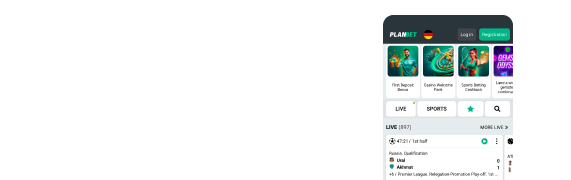

PlanBet APK Download for Android and iPhone
PlanBet can be used on Android, iPhone and other mobile devices.
Android users can download the PlanBet APK from the official website, while iPhone and iPad users can add PlanBet to their home screen through Safari. You can also use the mobile website without installing anything.
Last checked: November 2026
Download PlanBet APK for Android
The Android version of PlanBet is installed using an APK file.
To download it:
- Open the official PlanBet website on your Android device.
- Select the Mobile section.
- Choose Android.
- Tap Download.
- Open the downloaded APK file.
- Follow the installation instructions shown by your device.
Android may ask you to allow installation from the browser or source used to download the file.
Only use the APK provided through the official PlanBet website.
How to Install the PlanBet APK Safely
APK files are Android installation files used when an app is downloaded outside Google Play.
Before installing the PlanBet APK:
- Download it only from the official PlanBet website.
- Avoid third-party APK download sites.
- Check that you have enough storage space.
- Follow the Android security prompt shown during installation.
- Remove permission to install unknown apps afterwards if you no longer need it.
The APK file can change when PlanBet releases an update, so use the current version offered through the official site rather than saving or reusing an older download.
How to Update the PlanBet APK
If PlanBet releases a new Android version, the latest APK should be available through the official website.
Where an update is required:
- Visit PlanBet on your Android device.
- Open the mobile download section.
- Download the latest APK.
- Follow the installation instructions.
Do not rely on old APK files from third-party websites when updating.
PlanBet on iPhone and iPad
PlanBet does not use the same APK installation process on iOS.
iPhone and iPad users can access PlanBet through Safari and add it to the home screen.
To do this:
- Open Safari.
- Visit the official PlanBet website.
- Tap the Share button.
- Select Add to Home Screen.
- Tap Add.
A PlanBet icon will then appear on the device home screen and can be used to open the mobile service.
PlanBet App vs Mobile Website
You do not have to install the PlanBet APK to use the site on mobile.
For users who do not want to install anything, the mobile site provides access to the main PlanBet products through a browser.
PlanBet mobile access includes the main sportsbook, casino and account features.
These include:
- Pre-match sports betting
- Live betting
- Casino games
- Live casino
- Deposits and withdrawals
- Promotions
- Account settings
- Customer support
Availability can vary according to location, device and account status.
Using Promo Code MAX130 on Mobile
New customers can enter the promo code MAX130 when registering on mobile.
The code provides access to the current PlanBet welcome offers, subject to the terms of the relevant sportsbook or casino promotion.
Enter MAX130 in the promo code field during registration before completing your account setup.
For the full current bonus mechanics, see our dedicated PlanBet Promo Code guide.
PlanBet App/APK FAQs
- Where can I download the PlanBet APK?
Download the current Android APK through the official PlanBet website.
- Is the PlanBet APK on Google Play?
The current Android installation route uses an APK downloaded directly from the PlanBet website rather than Google Play.
- Why does Android show a security warning?
Android can display a warning when installing an APK from outside Google Play. Only continue when the file has been downloaded from the official PlanBet website.
- Can I use PlanBet without downloading the APK?
Yes. PlanBet also works through a mobile browser.
- How do I use PlanBet on iPhone?
Open PlanBet in Safari, tap Share, select Add to Home Screen and confirm.
- What is the PlanBet mobile promo code?
The promo code to use at PlanBet is MAX130.

